Since 2008
ePanicButton is a workplace panic button and mass-notification system. Staff send a pre-written alert from a Windows PC or phone, and it reaches the people you choose by desktop pop-up, mobile push, email, and text.

It is built around the alerts your workplace actually needs, and you can change those messages as new concerns come up.
Send an “I need support” message for a low-level confrontation that a manager can help defuse.
Create medical-assistance messages for staff facing a health issue.
Use emergency broadcasts or mass notification instead of calling people one by one.
If someone is alone and in a dangerous or threatening situation, they can summon support or security with a mouse click or keyboard shortcut.
Any desktop button can include a delay so the sender has time to cancel before the alert goes out.
Instead of dialing 911 and then messaging coworkers one at a time, staff can notify the whole response group in one action.
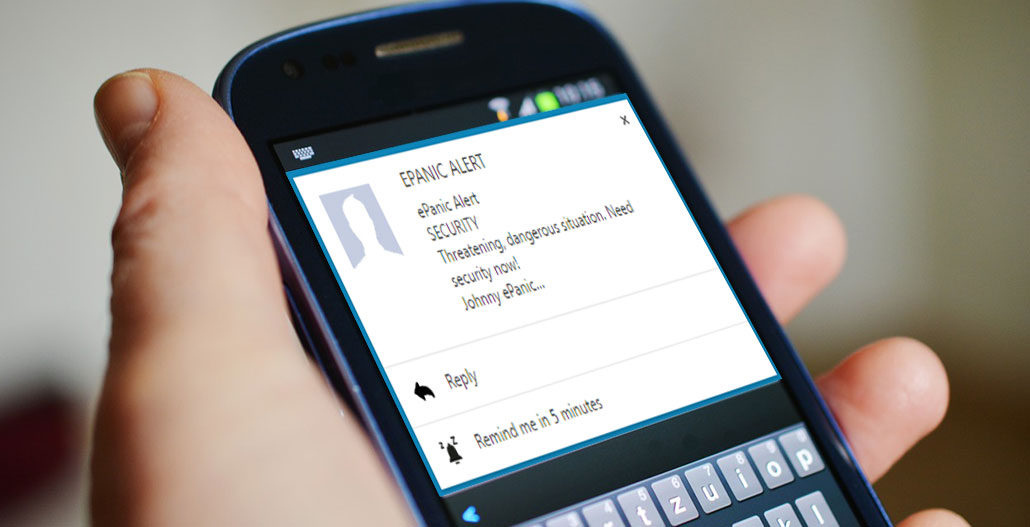
Notify anyone you designate with text messages, emails, and audible desktop alerts — even if no one is nearby when something looks wrong.

Create as many buttons as you need, each with its own message and recipient list, all from an online dashboard.

Multi-site organizations can give each location its own receivers. Role-based groups can reserve certain alerts — such as a campus-wide lockdown — for administrators.
ePanicButton is a client-server application that runs on PC workstations and mobile phones.
“One of our nurses at the nursing station faced an irate patient who was carrying a knife. She sent an ePanicButton alert. The nurses received the help they needed and all responders who were supposed to be there arrived quickly. No one was hurt. The nurse was quite happy with the system! ePanicButton worked perfectly.”
“We had a customer who didn't understand the word ‘No’ in a Health Department rule for an event. He was here for an hour. Our employee issued an ePanicButton low level support request. Everything was handled well. ePanicButton worked exactly as planned.”
“Our receptionists feel reassured that if there is ever an emergency and they need help, it is a simple click away. ePanicButton’s desktop alerts with email and text notification options provide multiple paths to send alerts. With the customizable notifications, it’s easy to ensure all necessary information is getting out to those who need to know. ePanicButton has been easy to deploy and support. Their technical support is quick to respond. It’s an easy and affordable solution that provides peace of mind.”
I am very much appreciative of your commitment to this topic and your dedication to make everyone more aware of their own personal safety. Great job!
Prefer to talk it through first? Email us and we will follow up.
Or call 919-590-0574.
No credit card required. Setup support is included. Pay later by card, ACH, or check.